![BeHome247-Logo-Color.png]](https://knowledge.behome247.com/hs-fs/hubfs/BeHome247-Logo-Color.png?height=40&name=BeHome247-Logo-Color.png)
New workflow
Task flow
- User accepts the task
- User starts the task
- User finishes or completes the task
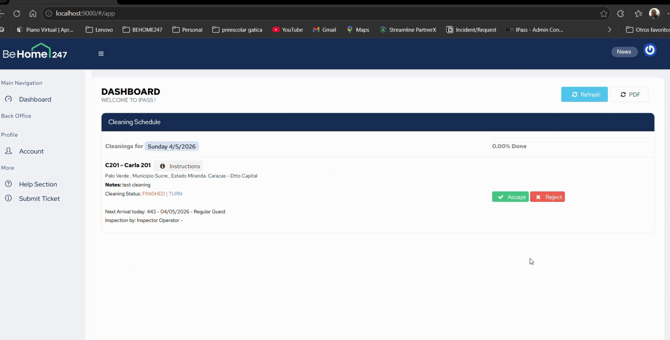
1.Review and Accept Tasks from the Dashboard
Open the all‑in‑one dashboard, which now serves as the central workspace for your team.
Review all task instructions directly on the dashboard, then accept the task to begin working on it.
2. Start the Task and Open the Checklist
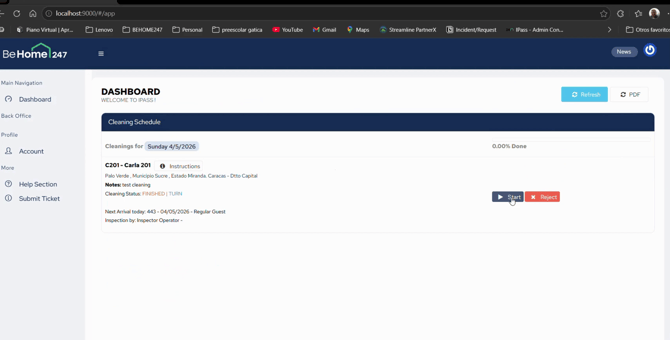
Select the blue Start button to start the task
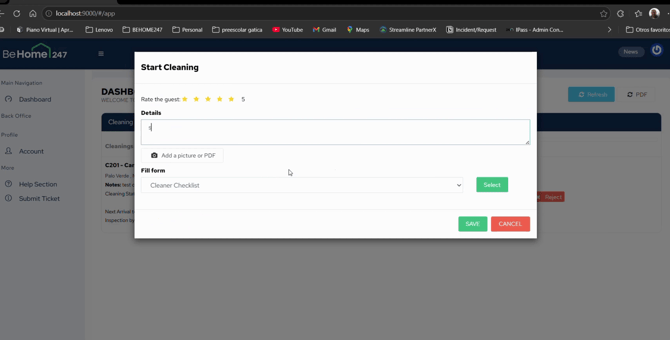
Fill out all required information and checklist.
Please Note: Only cleaners will have a "Rate the Guest" Field.
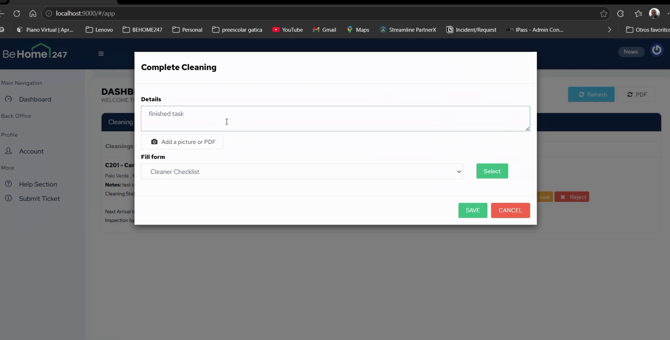
3. Complete the Task
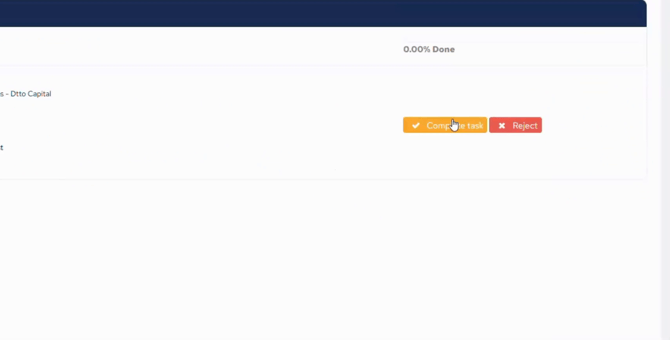
Select the orange Complete Task icon to close the task
Fill in all details required and select save.
Please Note: Only inspector will have a "Rate the Clean" field.
The system automatically updates both the timeline and the property container with the status updates.
Enhanced Housekeeping improves how operational tasks are managed by making the dashboard the central place for daily work. Instead of moving between multiple screens, users can now complete more actions directly within each task, creating a more connected and efficient workflow.
This update simplifies task handling with clearer progress tracking, built-in forms, and the ability to attach photos, documents, and ratings without leaving the task. Instructions are also available within the workflow, reducing the need to search for information elsewhere.
Overall, Enhanced Housekeeping delivers a smoother, more practical experience for cleaners, inspectors, and maintenance teams by reducing fragmentation and bringing everything needed to complete a task into one place.