![BeHome247-Logo-Color.png]](https://knowledge.behome247.com/hs-fs/hubfs/BeHome247-Logo-Color.png?height=40&name=BeHome247-Logo-Color.png)
With this integration, your Properties and Reservations data will sync seamlessly from Streamline, while BeHome247 automatically sends secure access codes back to Streamline for streamlined operations.
Maintenance and Housekeeping statuses also update in real-time, ensuring both platforms remain fully aligned within your property management system.
Steps to connect to BeHome247
IMPORTANT: This process needs to be executed in coordination with you BeHome247 Representative to make sure the accounts are linked on time and access won’t expire.
- From the "Home" screen go to "Self Service" / "Third Party"
- Look up for "Behome247" and select GET TOKEN
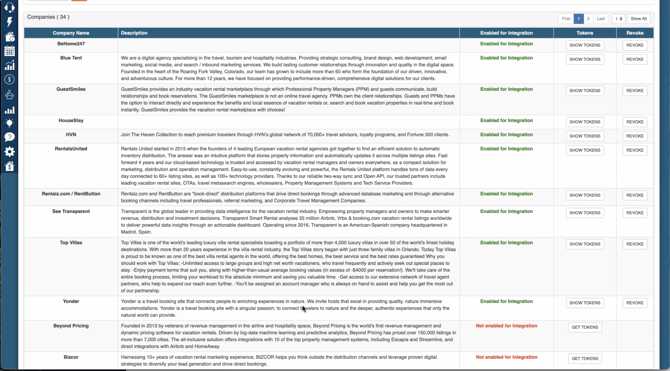
3. Provide consent and grant the requested permissions.
4. The system will then send the necessary authentication keys to support@behome247.com.
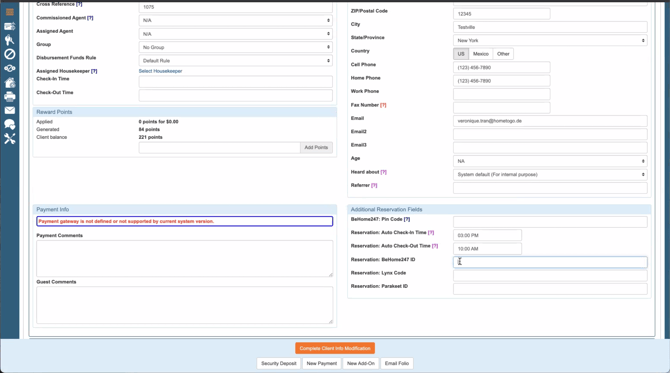
5. In this integration, the synchronized access code will automatically appear in a new field labeled "BeHome247 ID."
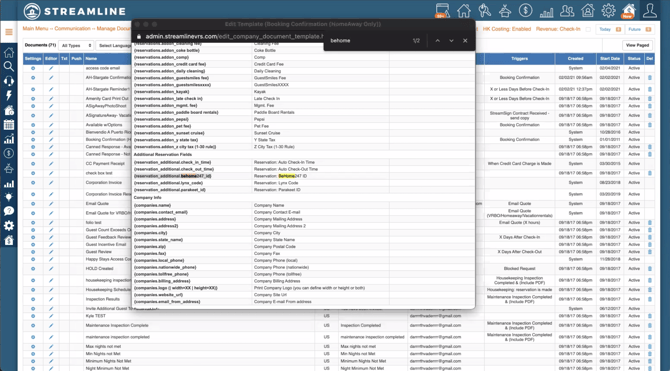
6. In the "Manage Documents" section, replace the access code wildcard tag with {reservation_additional.behome247_id}.